MacUncle
PST to PDF Converter

(Average Rating 4.6 Based on 1212 Reviews)

Convert Outlook PST emails, contacts, calendars, tasks, notes, and attachments to PDF while preserving the original formatting, folder hierarchy, metadata, and email properties. And make it possible to print multiple emails from Outlook with attachments.

  • Simple and User-friendly Software GUI
  • Export PST to PDF Format in Few Clicks
  • Advanced Features to Convert PST Email Files to PDF
  • Directly Convert PST to PDF on Mac with Proper Details
  • Dual Options to Add the Outlook PST Files in the Software Panel
  • Capable to Convert Selective as well as Batch Emails
  • Maintain the Email Folder Structure of Outlook PST Emails
  • The Tool Supports ANSI & Unicode PST files
  • Add Single PST Files or Entire Folders with PST Files
  • PST to PST Converter is Fast, Secure, and Completely Works Independent
PST to PDF Converter for Mac – 3 Simple Steps

In a few steps, Convert PST to PDF File Format with Attachments

Install the Tool

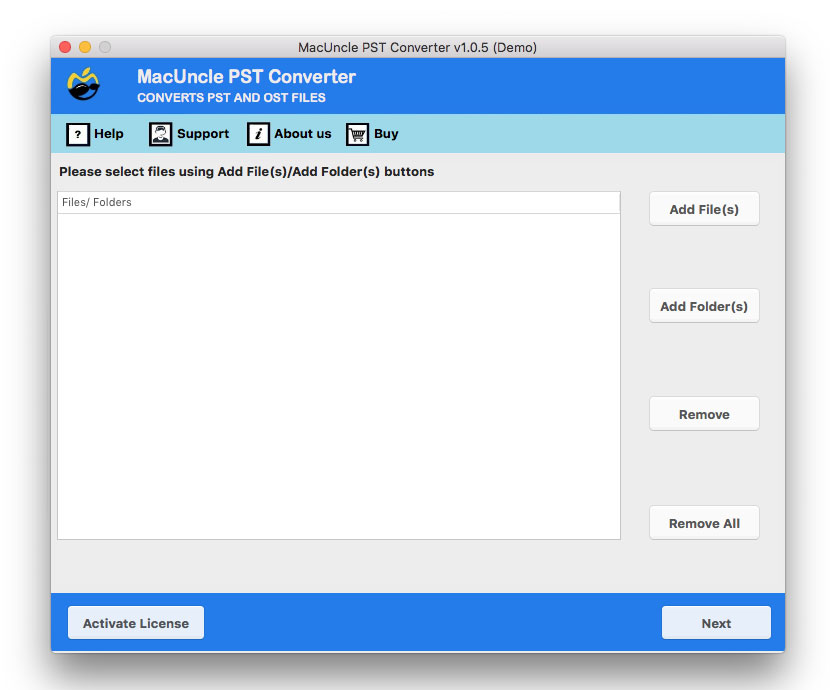
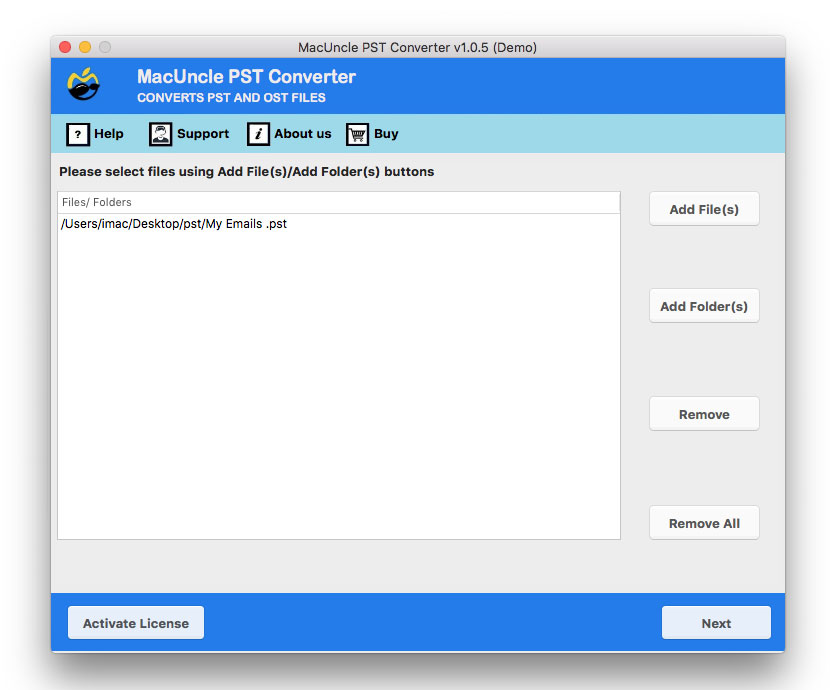
Download the software and set up the software. Upload the PST file using Add File(s) and Add Folder(s) to the Software panel. Then press the Next button.

Select PDF Format

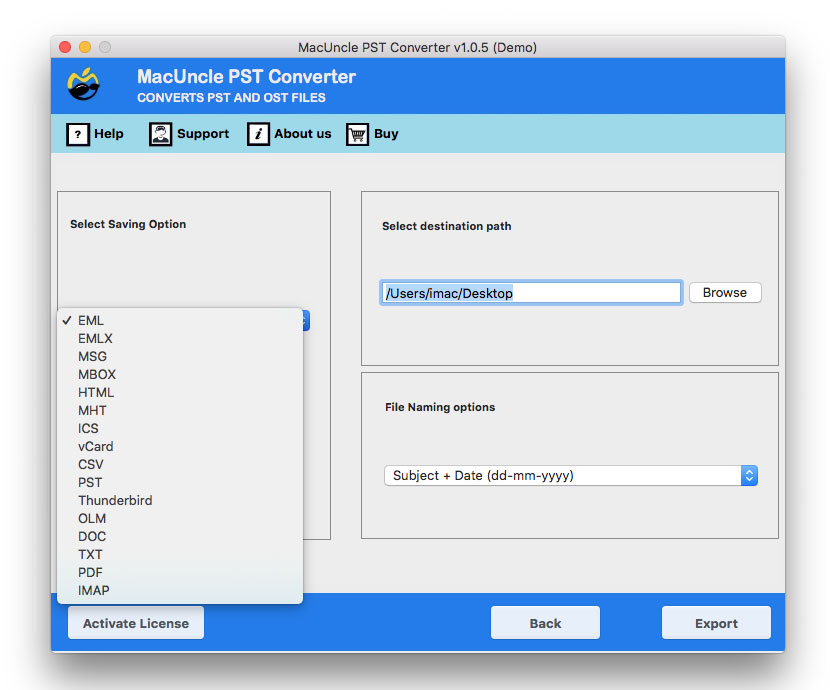
Now select the file format as PDF from the Select Saving list and choose File Naming pattern and the Destination location for the resultant Adobe PDF files.

Get the Result

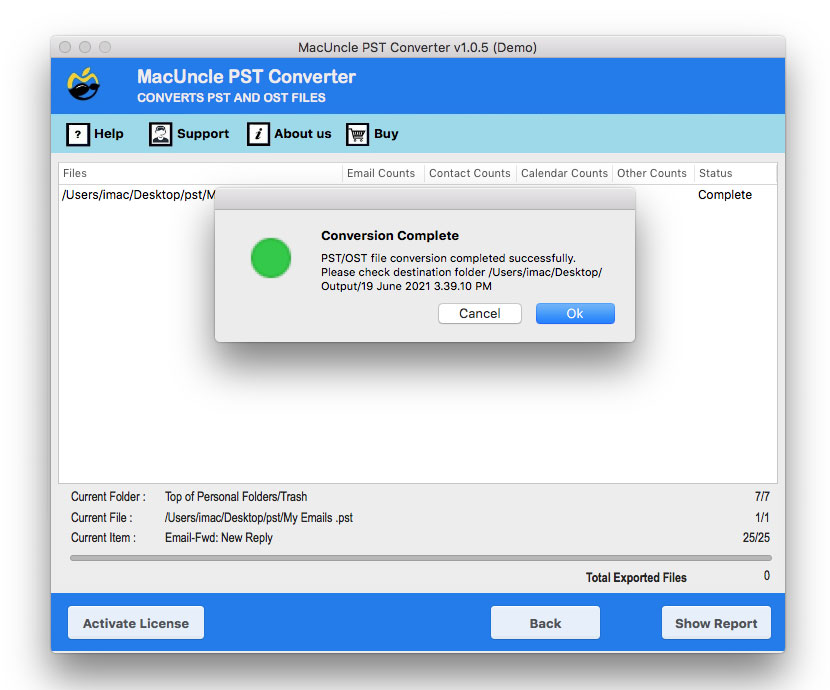
Press the Export button to process the conversion process. After the completion of the PST to PDF conversion process, a few messages of conversion show up and the folder opens up automatically.

browse a location

Discover the Vital Features Offered by MacUncle

Save Converted Files to Your Desired Location: Access Anywhere, Anytime

File organization is key, after any file conversions. Therefore, PST to PDF Converter will provide the freedom to store the converted file to any location in the system or any external location.

  • Select the location as per your need using the browse button.
  • Else, save the converted file to the default location, i.e., Desktop for ease to find the newly processed file.

The Software automatically open the folder that contains converted PST files.

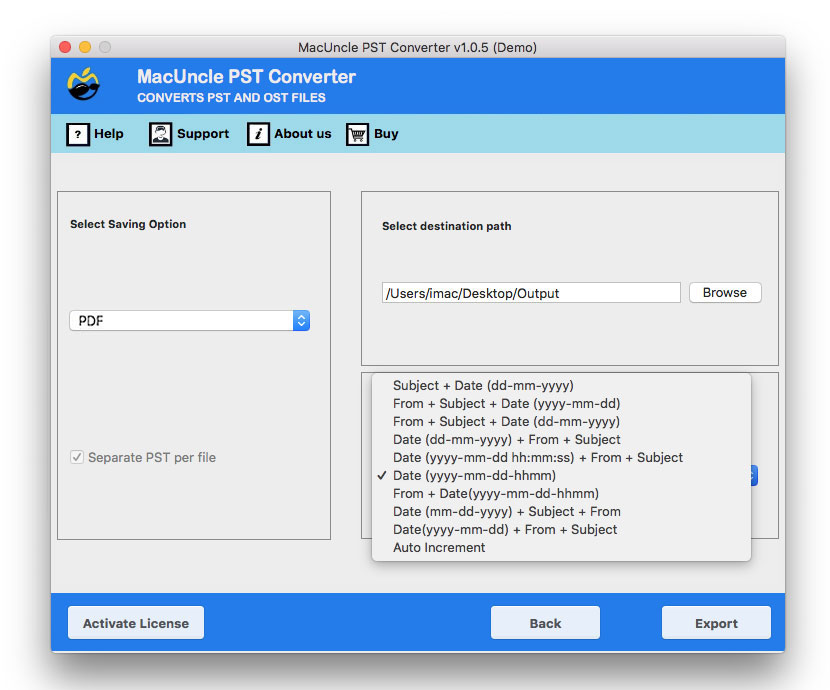
choose any naming pattern for pdf file

Most Trusted Solution by Mac Users

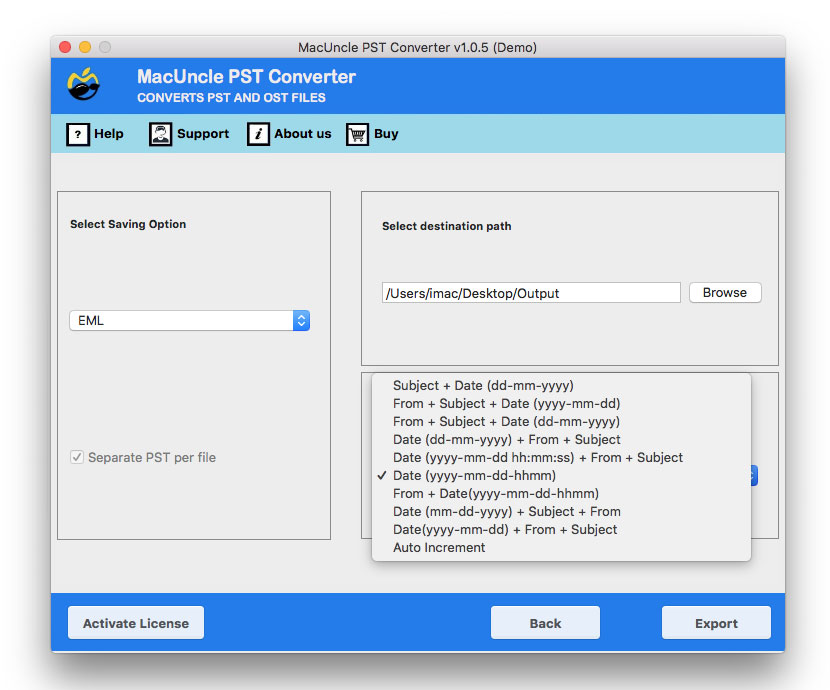
File Renaming Options: Customize Your PDF File Names

PST to PDF Converter grants you the flexibility to name your converted files with the help of different naming patterns. Whether you prefer to retain the original file names or want to customize them with a specific pattern, here are some of the options.

  • Subject + Date (dd-mm-yyyy)
  • From + Subject + Date (yyyy-mm-dd)
  • From + Subject + Date (dd-mm-yyyy)
  • Date (dd-mm-yyyy) + From + Subject
  • Date (yyyy-mm-dd hh:mm:ss) + From + Subject

This powerful feature ensures that your PDFs are easily identifiable and well-organized, making your file management a breeze.

Features of PST to PDF Converter

Here are Some software Features to Export PST to PDF with Attached Documents.

Simple, Standalone PST to PDF Conversion

No need for Outlook to be installed; hassle-free registration and no technical skills needed. Running the program, choose the PST files-choosing either of the options will get you the same result: Upload one file at a time with Add File(s) or upload a whole folder at once with Add Folder(s) - and send straight to PDF. Both single files and Full folders can be queued in the same batch, so a mailbox split while migrating between multiple PST files converts in one pass.

Direct Conversion Procedure

The PST to PDF Converter provides a direct and hassle-free way to convert the Outlook PST files into PDF documents. It can perform the conversion without any complex configurations, which makes it suitable for technical and non-technical users. Convert PST to PDF format while maintaining the data integrity.

Dual Options to Upload PST Files

The tool provides two easy ways to add Outlook data: Add File(s) and Add Folder(s). If you require the conversion of several single or multiple PST files stored in multiple folders, then you can use the tool to add according to your needs. This will save you a lot of time if you convert several Outlook PST files into PDF at once.

Maintain the Email Component

Outlook PST files contain various email messages and components such as the subject, to, from, date, signature, etc. The tool will convert Outlook PST Files in whole with the properties and elements of PST files preserved. Use the exact outcome of the Outlook email file without any modification.

Export Unlimited PST Files to PDF

Try the free trial of MacUncle PST to PDF Converter before making a purchase. It allows you to run the software, test its features, learn how it operates, and ensure it fits your needs. Purchase the full version if you want to convert unlimited PST files to PDF and unlock all its features. The licensed version is capable of performing bulk conversion of PST files without any restrictions.

Preserves the Folder Hierarchy

With this guide, the PST to PDF Converter retains its original folder and subfolder structure until the PST emails are moved to Pdf. This ensures the right preservation and maintenance of the original folder of the mailbox. This helps you find the file without any hassle.

Compatible with Recent macOS Versions

The tool works perfectly on the Mac Machine. Thus, this tool is compatible with Mac OS 10.8 and all the latest versions. The supported Mac OS versions are 10.15 Catalina, 10.14 Mojave, 10.13 High Sierra, 10.12 Sierra, OS X 10.11 El Capitan, 10.10 Yosemite, 10.9 Mavericks, and 10.8 Mountain Lion.

Generate PST to PDF Conversion Log Report

Once the PST to PDF Export procedure is finished, the tool generates an extensive log report including PST files, which contain the conversion date and time, the number of processed emails, overall conversion status, skipped/failed messages, etc. This provides a quick way for users to track the entire export process for PST to PDF Conversion.

PST to PDF Converter - Specifications

Check the complete specifications of MacUncle PST to PDF Converter

Convert PST to PDF Format

Version: v25.12.1
Size: 73.44 MB
Release Date: July, 2026
Software Download: Download Now


Trial Limitations: Explore our Demo Version for free PST to PDF conversion of 25 files initially. Understand the software's functionality while experiencing seamless file conversion.


Hard Disk Space: 100 MB of free hard disk space required
RAM: 4 GB of RAM (4 GB is recommended)
Processor: Apple Silicon M-series (M1 or later)


Platforms: macOS 26 Tahoe, macOS 15 Sequoia, 14 Sonoma, 13 Ventura, 12 Monterey, 11 Big Sur, 10.15 Catalina, 10.14 Mojave, 10.13 High Sierra, 10.12 Sierra, 10.11 El Capitan, and 10.10 Yosemite.


Operational Procedure of the PST to PDF Converter

The demo version enables the conversion of the initial 25 PST files

get pst to pdf exporter tool
add outlook pst files
select pdf as saving format
set a destination location
complete pst to pdf conversion
Concise Summary of PST to PDF Converter:Trial & Demo Versions

Obtain Comprehensive Information on the Different Editions of PST to PDF Converter

Features

Trial Version

Full Version

Upload PST Files/Folders

25 Files

Convert PST to PDF in Batches

Preserve Email Formatting

Maintain Folder Hierarchy

Retain Email Properties (To, From, Subject, Date, etc.)

Convert Large PST Files

No File Size Restrictions

Generate Conversion Log Report

Save Multiple PST Files in One Session

Dedicated Software Updates

Benefit from a lifetime software license validity

Dedicated 24*7 Customer Support

Compatibility with the latest versions of Mac

Price

Free

$29

 Download

 Buy

Watch How to Convert PST to PDF Format

Complete Illustration on How to Use Outlook PST File to PDF Converter

Analyze the graph and ratings for the PST to PDF Converter.

Performance

85%

Customer Satisfaction

93%

Output Accuracy

100%

Frequently Asked Questions

Steps to use PST to PDF Converter for Mac OS is as follows -

  • Start the tool & choose one option to upload PST files.
  • Select all or specific Emails files from the software window.
  • Click on the Next button.
  • Select PDF from Select saving Option.
  • Browse a destination path for storing the converted emails/documents.
  • Press the Export button.

Mac PST to PDF Conversion process is running. Please wait for a while. At last, it will automatically open the destination path so that users can easily retrieve their resultant emails.

To convert complete PST files upgrade the application to Pro version. Using Pro version one can easily transfer unlimited Outlook data files.

Yes, of course. The PST to PDF Converter supports both single as well as multiple PST file conversion.

Yes, of course. The tool is compatible with OS X 10.8 Mountain Lion and all the latest versions of macOS.

Yes - each Outlook folder saved within your PST will be represented by a corresponding subfolder in the PDF output, so nothing is merged or flattened.

Yes. The tool functions as a converter on its own, without the need to install a later version of Outlook on your Mac.

The free demo converts the first 25 items. The full version has no maximum number of PST files or items that may be converted.

Happy Clients Feedback

Verified Purchase Reviews - Mac PST to PDF Converter